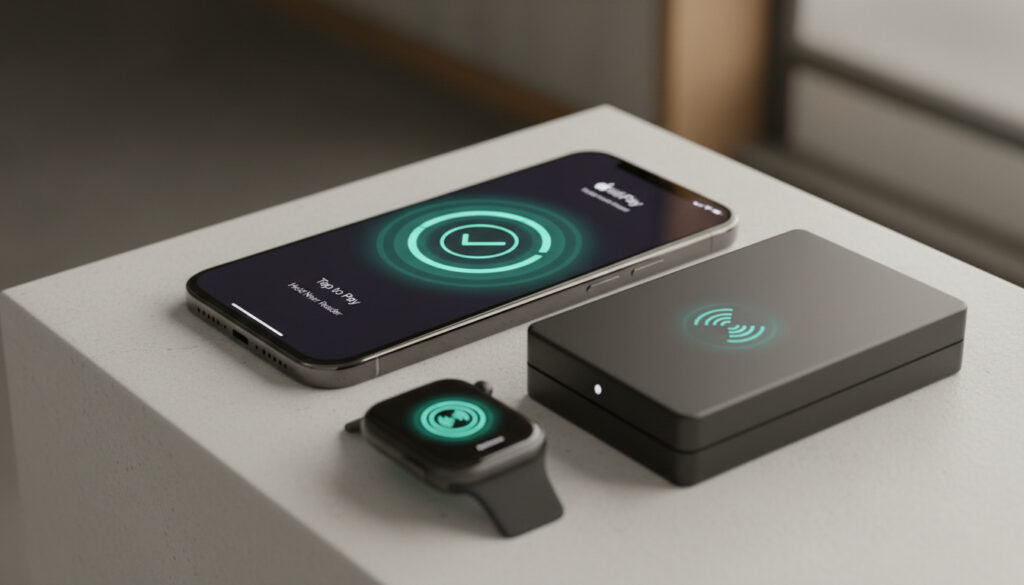
How to Use Apple Pay – iPhone and Apple Watch Guide
Apple Pay transforms iPhones and Apple Watches into digital wallets, enabling contactless payments at millions of retailers worldwide without requiring physical cards.
The service stores encrypted versions of debit and credit cards within the Wallet app, authenticating transactions through Face ID, Touch ID, or device passcodes. Since its introduction, the platform has expanded across dozens of countries, supporting transit systems and online purchases alongside in-store transactions.
Understanding the setup process and operational requirements ensures users can complete purchases efficiently while maintaining security protocols established by participating banks and card issuers.
How Do I Set Up Apple Pay?
Setup on iPhone
Configure payment cards through the Wallet app using camera capture or manual entry.
In-Store Payments
Double-click side buttons to access cards at NFC-enabled terminals.
Online Purchases
Authenticate app and web transactions without entering card details.
Supported Devices
Compatible with recent iPhone models and paired Apple Watch devices.
- Apple Pay requires device authentication via Face ID, Touch ID, or passcode for every transaction
- Cards must be verified by the issuing bank after addition to Wallet
- Apple Watch requires pairing with an iPhone using the same Apple Account
- Express Transit Mode allows payment without unlocking for public transportation
- The service uses tokenization, replacing actual card numbers with device-specific codes
- Compatible with debit, credit, transit, and Apple Cash card types
| Attribute | Details |
|---|---|
| Launch Year | 2014 (United States) |
| UK Availability | 2015 |
| Supported iPhones | Models with Face ID or Touch ID |
| Apple Watch Requirement | Paired with iPhone, same Apple Account |
| Authentication Methods | Face ID, Touch ID, Passcode |
| Security Technology | Tokenization |
| International Reach | 60+ countries |
| Card Types Supported | Debit, Credit, Transit, Apple Cash |
| Compatibility | Latest iOS, Latest watchOS |
| Android Support | None |
Adding Cards to iPhone
Open the Wallet app, tap the plus icon, and select Debit or Credit Card. Position the card within the camera frame to capture details automatically, or enter the information manually. The system requires verification from the issuing bank before activating the card for payments. Apple Support documentation confirms that compatible devices need the latest iOS, a supported card, an Apple Account, and Face ID, Touch ID, or passcode protection.
Configuring Apple Watch
Ensure the Apple Watch remains paired with an iPhone sharing the same Apple Account, with Apple Pay already established on the phone. Open the Apple Watch app on iPhone, navigate to My Watch, select Wallet & Apple Pay, then tap Add Card or Add beside an existing iPhone card. Enter the CVV when prompted and complete verification with the card issuer. Alternatively, add cards directly on the Apple Watch by opening the Wallet app, tapping the plus icon, selecting Add Card, and following the prompts. TechRadar’s guide outlines these steps for wearable configuration.
Removing Payment Methods
Removal procedures vary by device, though standard practice involves selecting the card in the Wallet app and choosing Remove. Consult Apple Support documentation for device-specific instructions, as removal details are less documented than setup processes.
How Do I Use Apple Pay in Stores?
At Retail Checkouts
Double-click the side button on Apple Watch after confirming it rests on your wrist and remains unlocked. Scroll to select the desired payment card, then position the watch display within a few centimeters of the contactless reader. Hold steady until receiving haptic feedback, hearing a confirmation beep, and seeing a Done message appear on screen. Apple’s Watch User Guide indicates this method functions at stores, restaurants, and taxis equipped with NFC terminals.
At Gas Stations
Contactless payment at fuel pumps follows identical procedures to retail environments. Locate the NFC reader on the pump—typically positioned near the screen or card slot—then hold the unlocked device nearby until confirmation occurs. Most modern gas stations support this payment method, though individual pump compatibility varies by merchant infrastructure.
Express Mode enables transit payments without requiring device unlock or wrist raise. Configure this feature through the Watch app on iPhone by navigating to My Watch, selecting Wallet & Apple Pay, and designating an Express Transit Card. This differs from standard Apple Pay by eliminating authentication requirements for faster boarding.
How Do I Use Apple Pay Online?
In Apps and Safari
Select Apple Pay as the checkout option within supported merchant applications or Safari websites. The system prompts authentication through Face ID, Touch ID, or device passcode before processing the transaction. Apple’s payment documentation confirms this method works across e-commerce platforms accepting the service, eliminating the need to manually enter card numbers or shipping addresses.
What Devices Support Apple Pay and Is It Secure?
Device Compatibility
iPhone models equipped with Face ID or Touch ID running the latest iOS support Apple Pay functionality. Apple Watch devices paired with compatible iPhones also process payments independently. The service requires an active Apple Account and remains exclusive to Apple hardware, with no support for Android operating systems. Buckle and Band’s technical review emphasizes that ecosystem integration defines the service’s hardware boundaries.
Security Architecture
Tokenization generates device-specific account numbers rather than transmitting actual card digits to merchants. Each transaction requires biometric confirmation or passcode entry, preventing unauthorized usage even if the device falls into the wrong hands. Bank verification during setup adds an additional layer of authentication before cards become active.
Functional requirements include the latest iOS or watchOS updates, a supported card from a participating bank, and active Face ID, Touch ID, or passcode protection. Android devices cannot access Apple Pay under any configuration, as the service operates exclusively within Apple’s ecosystem.
Official troubleshooting documentation remains limited regarding specific error resolutions. Users encountering verification failures should contact their card issuer directly, while software issues may require updating to the latest operating system version or restarting the device. Wearable technology specialists recommend checking wrist detection settings on Apple Watch if payment prompts fail to appear.
When Did Apple Pay Launch and Expand?
- : Initial launch in the United States, introducing contactless iPhone payments
- : Expansion to the United Kingdom in July, marking the first major international market
- : Introduction of web support, enabling Safari and in-app purchases beyond physical retail
- : Availability extends to over 60 countries with continued integration across new device categories
What Is Certain About Apple Pay Requirements?
| Established Information | Information Remaining Unclear |
|---|---|
| Requires Face ID, Touch ID, or passcode on compatible devices | Specific future bank partnerships and expansion timelines |
| Works at NFC/contactless terminals globally | Precise troubleshooting steps for every verification error |
| Tokenization prevents card number sharing with merchants | Exact criteria for Express Transit eligibility in all regions |
| Available in 60+ countries as of current documentation | 2024/2025 specific update schedules for international markets |
How Does Apple Pay Compare to Other Payment Systems?
Unlike Google Pay, which operates across Android and iOS platforms, Apple Pay functions exclusively within Apple’s ecosystem. The system emphasizes hardware integration with iPhone and Watch devices, utilizing proprietary security chips for tokenization. While both platforms offer contactless NFC payments, Apple restricts functionality to its own devices, creating a closed environment that prioritizes integration over cross-platform accessibility. What Is My Postcode – Quick, Clear And Accurate Data provides additional context regarding regional service availability. Дізнайтеся більше про те, коли Apple Pay було запущено та як воно розширювалося, за цим посиланням: $Apple Pay iPhone та Apple Watch.
What Do Official Sources Say About Apple Pay?
Apple Pay uses tokenization to keep your actual card number secure. When you add a card, a unique Device Account Number is assigned, encrypted, and stored in the Secure Element on your device.
— Apple Support Documentation
Double-click the side button and hold the display of your Apple Watch near the contactless reader. You’ll feel a gentle tap when your payment is confirmed.
— Apple Watch User Guide
These official descriptions, derived from technical documentation and usage guidelines, emphasize the system’s focus on security through tokenization and tactile confirmation for wearable transactions.
What Should You Know Before Using Apple Pay?
Apple Pay requires compatible Apple hardware, active bank verification, and NFC-enabled terminals for physical transactions. The system prioritizes security through tokenization and biometric authentication while functioning exclusively within the Apple ecosystem. Users should maintain current software versions and verify card compatibility with issuing banks before initial setup. Those interested in comparable digital subscription services may review How Much Is YouTube Premium UK – Prices and Plans 2024 for additional technology pricing context.
Frequently Asked Questions
Can I use Apple Pay on Android?
No. Apple Pay functions exclusively on Apple devices including iPhone, Apple Watch, iPad, and Mac. Android users require alternative payment applications such as Google Pay.
How do I check my Apple Pay balance?
Apple Pay itself does not hold a balance; it facilitates payments from linked cards. For Apple Cash balance, check the Wallet app in the Apple Cash card section.
What if Apple Pay doesn’t work?
Ensure your device runs the latest iOS or watchOS, that wrist detection is enabled on Apple Watch, and that your card remains verified. Contact your bank if verification issues persist.
Do I need an internet connection to use Apple Pay in stores?
No internet connection is required for in-store contactless payments. The transaction processes via NFC between your device and the payment terminal.
Can I use multiple cards with Apple Pay?
Yes. You can store multiple debit and credit cards in the Wallet app. Set a default card for automatic use, or switch between cards before completing a payment.
More related posts
 What Month Is September – Calendar History And Culture
 Cast of Matilda the Musical (Film) – Full Roles and Actors List
 Class 2 National Insurance – Guide for Self-Employed 2025
 Best Cream for Eczema: What Works, According to Experts
 Crystal Palace vs Liverpool Tickets – 2026 Anfield Prices Guide
 Radio 2 in the Park – 2024 Dates Lineup Tickets Guide
 How to Kill Maggots Instantly: Proven Methods for Any Surface
 The Great Gatsby Musical: Reviews, Cast, Tickets & Guide