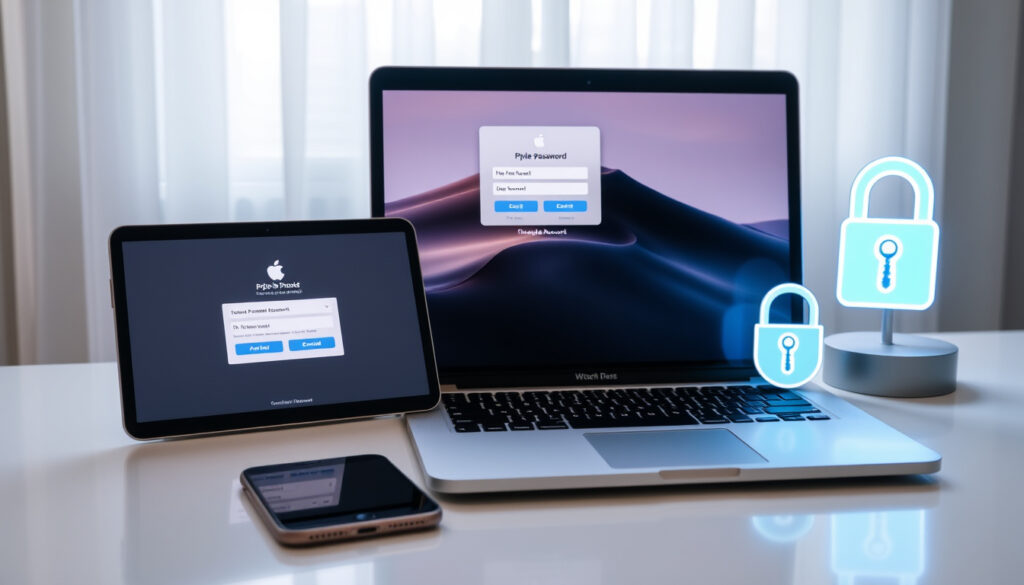
Reset Apple ID Password: Official Steps for iPhone, Mac & Online
If you’ve ever been locked out of your Apple account, you know that sinking feeling — you need an app, a purchase, or just access to your files, and the password simply won’t come. Apple built the account recovery process with security in mind, but that means the official path has a few branches depending on what device you have handy and whether you still control a trusted phone number. This guide walks through every official method, from the fastest option on a trusted iPhone to the longer account recovery route if you’ve lost everything.
Official reset site: account.apple.com · Primary support page: support.apple.com/en-ie/101567 · Device methods covered: iPhone, Mac, PC · Forgot password guide: support.apple.com/en-ie/102656
Quick snapshot
- Settings app · Sign-In & Security · Change Password (Apple Support official guide)
- account.apple.com · Forgot Password · Email verification (Apple Discussions documentation)
- System Settings · Sign in · Forgot Password (Apple Support official guide)
- Apple Support app · Account recovery · iforgot.apple.com (Apple Support official guide)
These key facts about Apple ID password reset options come from verified Apple documentation and support channels.
| Primary reset URL | Apple Support |
|---|---|
| Forgot password guide | Apple Support |
| Mac specific | Apple Support Mac guide |
| Online sign-in | account.apple.com |
| Password Change Delay | Stolen Device Protection adds one-hour wait (Apple Support official guide) |
| Account Recovery Time | A few days or longer without trusted device (Apple Discussions account recovery thread) |
How do I reset my Apple ID password if I forget it?
The easiest path requires a trusted device — an iPhone, iPad, or Mac already signed in to your Apple account with a passcode set up. This method skips the waiting game entirely and gets you back in within minutes.
On iPhone
Open Settings, tap your name at the top, then go to Sign-In & Security. Select Change Password, enter your device passcode when prompted, and type in your new Apple account password twice. That’s it — the change syncs across all your devices automatically.
Apple Support confirms that a trusted device already signed in with a passcode is the fastest route to a password reset, requiring no external verification steps.
On Mac
Click the Apple menu and head to System Settings, then click your name and choose Sign-In & Security. Click Change Password, enter your Mac login password when asked, and confirm your new Apple account password. The process mirrors the iPhone workflow but lives in the desktop settings hierarchy.
- Go to Settings > [your name] > Sign-In & Security > Change Password on iPhone or iPad
- Enter your device passcode when prompted
- Type your new Apple account password twice to confirm
- Wait for the change to sync across all your devices automatically
Online via account.apple.com
If you don’t have any Apple device handy, open a browser and navigate to account.apple.com. Click Sign In, then select the Forgot Password link. Enter your Apple account email or phone number, choose to verify via email or security questions, and follow the prompts to set a new password.
The implication: Trusted device access cuts reset time from days down to minutes, but Apple built the web path specifically for situations where you have no device nearby.
How do I change my Apple ID password online?
Changing a password you already know — versus resetting one you’ve forgotten — follows a slightly different flow. You’re signing in first, then modifying security settings rather than recovering access.
Sign in at account.apple.com
Navigate to account.apple.com in any browser and click Sign In. Enter your Apple account email address and your current password. If two-factor authentication is enabled, you’ll need a verification code from a trusted device or phone before proceeding.
Sign-In and Security section
Once signed in, click Sign-In and Security in the left sidebar. Under the Password heading, click Edit. Enter your current password, then type and confirm your new password. Save the change — your new password activates immediately across all Apple services.
Changing your password on one device may require re-authentication on others due to two-factor authentication being tied to the account rather than the device.
Can I find my Apple ID password without resetting it?
Apple doesn’t offer a way to retrieve a forgotten password — there’s no “show me my Apple ID password” button anywhere in the ecosystem. Two-factor authentication means Apple never stores your actual password in a recoverable format.
View options limited
If you’ve saved your password in iCloud Keychain on your devices, you might find it there — but that’s viewing a locally stored credential, not retrieving it from Apple’s servers. Keychain shows passwords you’ve asked the system to remember.
No direct lookup
Apple Support states that resetting is the only official path if you’ve forgotten your password. Any attempt to “look up” or “recover” a password bypasses Apple’s security architecture entirely.
What this means: If you can’t remember the password and don’t have a trusted device, you’re on the account recovery timeline — plan accordingly.
What happens if I can’t recover my Apple ID password?
When you’ve lost access to both your trusted device and your trusted phone number, Apple initiates its account recovery process. This isn’t instant — Apple designed it to verify your identity thoroughly while blocking anyone who might be pretending to be you.
Account recovery process
Go to iforgot.apple.com and enter your Apple account email or phone number. Select “Can’t access your trusted devices?” and choose “Can’t use this phone number?” to start recovery. Apple will ask you to verify identity using information on file — billing details, device names, and other account data you’ve provided.
Apple Support describes account recovery as “an automatic process designed to get you back in to your account as quickly as possible while denying access to anyone who might be pretending to be you.” The process verifies your identity with account information you’ve previously provided.
Contact Apple Support
If recovery through iforgot.apple.com fails, contact Apple Support directly. You can use the Apple Support app on a borrowed device: tap Reset Password, then Help Someone Else, enter the Apple ID email or phone, and follow the instructions if the trusted phone number is accessible to a friend or family member.
Account recovery can take a few days or longer — Apple verifies your identity before granting access, which means a determined attacker faces the same delay, protecting you from social engineering.
For users without any device access, the Apple Store offers display iPhones you can use to access iforgot.apple.com and walk through recovery with the Help Someone Else option — staff can assist if needed.
How to reset Apple ID password on iPhone if forgot?
If you’ve forgotten both your Apple ID password and the email associated with the account, the situation gets more complex — you need to identify the account first before you can reset the password.
Forgot email scenarios
If you know your Apple ID email but not the password, follow the standard reset flow via Settings > [your name] > Sign-In & Security > Forgot Password. If you don’t know the email either, try entering phone numbers or old email addresses you might have used — Apple will indicate if an account exists with that identifier.
Without phone access
When you’ve lost access to your trusted phone number and can’t receive verification codes, select “Can’t access this number?” during the reset process. Apple will start account recovery and may contact you via an alternative trusted phone number if you’ve previously added one, or via other verification methods.
Upsides
- Official steps via Apple support work reliably across all account types
- Device-specific flows are straightforward on iPhone, iPad, and Mac
- Account recovery handles edge cases for users without any device access
- Apple Support app enables resets on borrowed devices
Downsides
- Account recovery may take a few days or longer to complete
- Stolen Device Protection adds one-hour wait before password changes
- No way to look up a saved password — reset always required
- Third-party password managers don’t integrate with Apple account recovery
Apple Support official guide — “The easiest way to reset your password is with your iPhone or other trusted Apple device — one that’s already signed in to your Apple Account.”
Apple Support official documentation — “Account recovery is an automatic process designed to get you back in to your account as quickly as possible while denying access to anyone who might be pretending to be you.”
Related reading: Sign In to Universal Credit · My BT Bill Login
youtube.com, youtube.com, support.apple.com, youtube.com, support.apple.com
If standard methods fail or you need more options, this detailed Apple ID password reset guide walks through proven recovery steps for forgotten Apple ID passwords.
Frequently asked questions
How to reset Apple ID password by email?
Go to iforgot.apple.com, enter your Apple account email, select “Reset Password,” and choose to verify via email. Apple will send a verification link to your account email — click it and follow the steps to set a new password.
How to reset Apple ID password on computer?
On a Mac, open System Settings, click your name, go to Sign-In & Security, and select Change Password. On any computer, visit account.apple.com, sign in, and use the Forgot Password link. Both methods require email verification or security questions.
How to reset Apple ID password for someone else?
Use the Apple Support app on a borrowed device: tap Reset Password, then Help Someone Else, and enter the other person’s Apple ID email or phone. They must have access to their trusted phone number to complete verification.
What if I forgot my Apple ID email?
Try entering phone numbers or email addresses you might have used with Apple. Apple will indicate if an account exists with that identifier. If all recovery methods fail, contact Apple Support with any account details you remember.
How to change iCloud password?
iCloud passwords use your Apple ID — changing your Apple account password automatically updates your iCloud password. Follow the same reset or change process at account.apple.com or in Settings on your devices.
Is two-factor authentication required for reset?
Two-factor authentication is required for Apple ID accounts by default. During a reset, Apple verifies your identity via a trusted device, trusted phone number, or account recovery if those options are unavailable.
How long does Apple ID recovery take?
Account recovery typically takes a few days but can take longer. Apple verifies your identity thoroughly before granting access — this delay also prevents unauthorized access attempts.
More related posts
 Louis Saha: Net Worth, Career, Religion & Life Now
 Alvin and the Chipmunks – Complete History, Characters and Movies
 Tom Jones Net Worth 2024: $300 Million Singer Wealth
 Ready or Not 2 – Film vs Game Status Explained
 RC Strasbourg Alsace Games: Fixtures, Results, Table
 Functional Skills Maths Level 2: Equivalent, Difficulty and Cost
 Coventry City F.C. vs Leeds United Standings – H2H Record and 2025 Results
 Mr Krabs: Disability, Personality, Species, Voice Actor