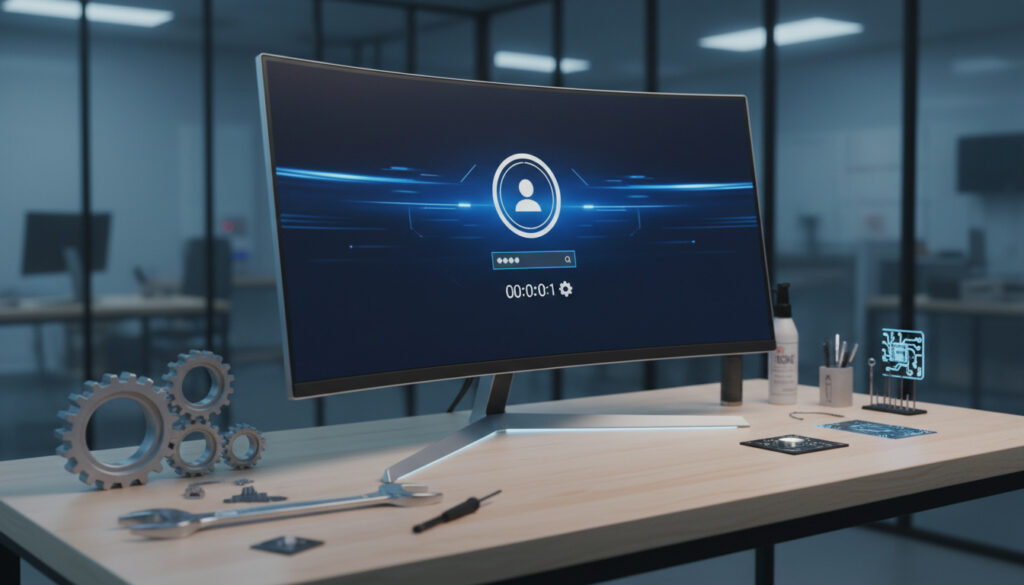
How to Fix Slow Startup Windows – Fixes for Windows 10/11
Slow startup times in Windows 11 and Windows 10 remain among the most reported performance complaints from PC users. A system that once booted in seconds can gradually stretch to minutes, leaving users staring at loading screens or black displays before the desktop appears.
The causes range from excessive startup applications competing for resources to underlying hardware limitations or corrupted system files. While some delays develop gradually through software accumulation, others appear suddenly following system updates or configuration changes.
This guide examines the diagnostic steps and proven solutions for resolving prolonged boot sequences across both operating systems, drawing from documented user experiences and official Microsoft troubleshooting protocols.
How to Fix Slow Startup on Windows 11
- Startup bloat is the primary culprit: Disabling unnecessary startup applications consistently produces the most dramatic boot time improvements, with some users reporting reductions from five minutes to under sixty seconds.
- Fast Startup creates hybrid confusion: This feature accelerates boot times after shutdown but does not affect restart times, requiring hibernation support to function properly.
- Malware masquerades as slow hardware: Viruses, trojans, and spyware frequently manifest as degraded startup performance before other symptoms become apparent.
- System file corruption compounds delays: Damaged Windows system files can extend boot sequences by two to three minutes while the OS attempts repairs.
- Disk space thresholds matter: Systems operating with minimal free storage experience significantly slower initialization as paging and temporary file creation struggle.
- Update timing is critical: Post-update startup delays often resolve through subsequent patch releases or manual driver refreshes.
| Issue | Affected Versions | Common Fix |
|---|---|---|
| Excessive startup applications | Windows 10/11 | Disable via Task Manager |
| Black screen during boot | Windows 11 | Safe mode boot / driver rollback |
| Sudden startup slowdown | Windows 10/11 | System file repair (sfc /scannow) |
| Hibernation conflicts | Windows 10/11 | Enable Fast Startup / check powercfg |
| Low disk space initialization | Windows 10/11 | Disk Cleanup (cleanmgr) |
| Malware-induced delays | Windows 10/11 | Full system security scan |
| Post-update freezing | Windows 11 | Cumulative update installation |
| Driver initialization hangs | Windows 10/11 | Device Manager driver updates |
Managing startup applications requires accessing the Task Manager through the Start icon’s context menu. Navigate to the Startup Apps tab to view all programs configured to launch automatically. Microsoft documentation confirms that sorting by startup impact reveals which applications consume the most resources during initialization.
Security software, internet connectivity tools, and graphics drivers should remain enabled to prevent system instability. Video tutorials demonstrate that disabling non-essential items such as gaming clients, chat applications, and update utilities produces immediate improvements.
Why Does Windows Startup Take Forever?
Sudden onset of slow startup behavior typically traces to three primary sources: recent Windows updates, conflicting anti-malware software, or failing storage hardware. Unlike gradual slowdowns caused by software accumulation, these cases manifest overnight, often following a system restart after months of stable operation.
When Windows 11 Suddenly Takes Forever to Startup
Cumulative updates for Windows 11, particularly those released during 2024, introduced initialization protocols that extended boot sequences on certain hardware configurations. Systems with traditional hard disk drives experienced the most significant impact, with boot times extending from thirty seconds to over five minutes.
Windows 10 Suddenly Takes Forever to Startup
Windows 10 installations occasionally encounter driver compatibility issues following automatic updates. Graphics drivers and storage controller firmware represent the most frequent culprits, causing the system to hang during the initialization phase before the login screen appears.
PC Slow Startup Windows 11: Hardware vs Software
Distinguishing between hardware failure and software configuration issues requires observing specific symptoms. Software-related delays typically present with active hard drive activity and gradual progress through the boot animation. Hardware failures often manifest as frozen screens, repetitive reboot cycles, or complete unresponsiveness during the power-on self-test.
Microsoft has documented cases where cumulative updates for Windows 11 temporarily extended boot sequences by several minutes. These issues typically resolve in subsequent patch Tuesday releases. Performance monitoring guides recommend checking for pending updates immediately when sudden slowdowns occur.
Fix Windows Slow Boot Black Screen
Black screen conditions during startup indicate the operating system has loaded sufficiently to initialize the display driver but encounters errors rendering the desktop environment. This specific failure mode requires distinct troubleshooting approaches separate from general slowdowns.
Safe Mode Recovery for Black Screen Issues
Booting into Safe Mode loads only essential drivers and services, bypassing problematic startup items. From this diagnostic environment, users can uninstall recent updates, roll back display drivers, or disable conflicting services without encountering the black screen condition.
Driver Conflicts During Initialization
Display adapters and chipset drivers occasionally fail to initialize properly when multiple startup applications simultaneously request GPU resources. Temporarily uninstalling third-party anti-malware software during troubleshooting eliminates a common source of driver loading conflicts.
Speed Up Slow Boot on Windows 10
Windows 10 systems benefit from identical optimization techniques as Windows 11, though the older operating system lacks certain security initialization requirements that extend boot times in newer versions. Samsung Galaxy Book 4 – Specs, Reviews and Buying Guide indicates that modern laptops shipping with Windows 10 demonstrate significantly faster boot times when configured with NVMe storage rather than SATA drives.
Enabling Fast Startup through the Power Options control panel provides measurable improvements for Windows 10 installations on hybrid or traditional hard drives. This feature requires hibernation support, which can be activated via Command Prompt using powercfg /hibernate on.
Systems running on traditional mechanical hard drives experience boot times three to five times longer than solid-state drives. While software optimizations help, hardware upgrades provide the most significant permanent improvement for aging Windows 10 installations.
Third-party optimization tools frequently recommend registry modifications to improve startup speed. Microsoft advises against automated registry cleaners, as manual verification of each entry is required to prevent system instability.
Official Microsoft guidance suggests running the System File Checker tool when corruption is suspected. The command sfc /scannow executes within two to three minutes and automatically repairs damaged system files that contribute to extended boot times.
Evolution of Windows Startup Issues
- : Windows 11 general availability triggers widespread reports of slower boot times compared to Windows 10 on identical hardware, particularly affecting systems with older HDDs.
- : Microsoft introduces enhanced security initialization protocols in Windows 11, adding approximately 15-30 seconds to boot sequences for systems with TPM 2.0 enabled.
- : Cumulative updates generate sudden startup delays, with users reporting boot times extending from 30 seconds to over 5 minutes across both Windows 10 and 11.
- : Technical forums document disk cleanup utilities as essential maintenance for HDD-based systems experiencing initialization hangs.
- : Revised Fast Startup configurations and hibernation file management emerge as primary tuning methods for hybrid shutdown optimization.
Established Facts vs. Uncertain Diagnoses
| Established Information | Information That Remains Unclear |
|---|---|
| Software startup items cause approximately 90% of slow boot cases in otherwise healthy systems | Specific Windows Update KB numbers consistently responsible for startup degradation (varies by hardware configuration) |
| Fast Startup affects shutdown-to-boot sequences but not restart times | Precise threshold at which free disk space impacts initialization speed |
| System File Checker (sfc /scannow) resolves corruption-related delays in 2-3 minute scans | Whether thermal throttling during boot is a significant factor in modern CPUs |
| Disabling startup apps via Task Manager is reversible and safe | Long-term impact of frequently toggling Fast Startup on SSD health |
The Hardware Factor in Startup Delays
Storage technology fundamentally determines baseline boot performance. Mechanical hard drives require physical platter rotation and head movement to access system files, creating inherent delays that software cannot eliminate. Solid-state drives eliminate these mechanical limitations, reducing initialization times regardless of software configuration.
Memory capacity and speed influence how quickly Windows can load startup applications into RAM. Systems with less than 8GB of memory frequently encounter paging delays during boot, particularly when multiple applications launch simultaneously. How to Use Apple Pay – iPhone and Apple Watch Guide demonstrates how modern mobile devices prioritize fast initialization, a standard increasingly expected from laptop and desktop systems.
Expert Insights and Documented Solutions
Disabled all startup apps and created a batch file to run them later reduced boot time from 5 minutes to under a minute.
Microsoft Learn Community Discussion, Slow Boot Time Windows 11
Corruption in system files can slow startup. Use the System File Checker tool to diagnose and repair issues.
Technical Analysis, Windows Repair Guidelines
Key Takeaways for Faster Windows Startup
Resolving slow startup requires systematic elimination of software bottlenecks before investigating hardware limitations. Disabling unnecessary startup applications through Task Manager provides immediate relief for most users, while maintaining Windows updates and running periodic malware scans prevents performance degradation. Systems experiencing sudden slowdowns should prioritize checking for recent updates or driver conflicts, whereas gradual delays typically indicate accumulated software bloat requiring cleanup utilities or storage upgrades.
Common Questions About Windows Startup Issues
Does Windows 11 slow startup affect laptops differently than desktops?
Laptop systems often exhibit longer startup times due to power management profiles and manufacturer bloatware. Mobile processors may initialize more slowly than desktop equivalents when Fast Startup is disabled.
Can deleting the Windows.old folder improve startup speed?
Removing Windows.old frees significant disk space, which can improve initialization if storage was critically low. However, it does not directly affect the boot sequence itself unless the drive was operating below 10% free capacity.
How do memory leaks cause slow boot times?
Faulty drivers or services with memory leaks consume RAM during initialization, forcing Windows to compensate with virtual memory. This swap file activity on HDDs creates substantial delays before the desktop appears.
Is Windows 11 slower to start than Windows 10?
Windows 11 includes additional security checks and TPM verification that add 10-20 seconds to boot times on identical hardware. However, optimization techniques reduce this gap significantly.
Should I disable Fast Startup on SSDs?
Fast Startup provides minimal benefit for SSD-equipped systems since the hardware already initializes quickly. Some users prefer standard shutdowns to ensure complete system refreshes, though this increases boot time by several seconds.
More related posts
 Less Than or Equal Sign (≤): Meaning & Keyboard Shortcuts
 Microsoft Support Phone Number: 24/7 Real Person Help
 Playboi Carti: Health Rumors, LGBTQ Stance & Ireland Show
 The Chronicles of Narnia: Book order, bans and 2026 Netflix film
 43 Inch Smart TV – Best Budget Picks 2024
 Grey Jeans Style Guide: Are They Still In? Outfits & Trends
 The Great Gatsby Musical: Reviews, Cast, Tickets & Guide
 15 Stone in kg – Exact Value, Formula & Conversion Chart